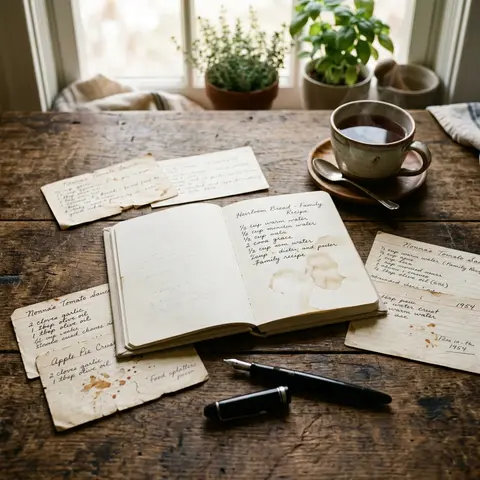
A few years ago, an old shoebox sat on grandma's kitchen table. Inside: crumpled recipe cards, torn, stained, covered in fading ink. More than sixty years of handwritten family history. And nobody knew how many of those recipes she could no longer read herself.
If you're reading this, you know the feeling. An old cookbook. Index cards from your mom. Slips of paper from your aunt. Recipes scrawled on the backs of old letters. Treasures you never want to lose. And that's exactly the problem: paper disappears. Ink fades. Water, fire, a house move — and a piece of family history is gone.
The good news: you don't need hours, special equipment, or technical know-how to save grandma's recipes forever. You just need a clear plan.
Why You Should Act Now, Not Later
On gutefrage.net and in countless forum threads, the same story comes up again and again: "We kept putting it off — and now grandma's gone, and half the recipes we can't make out anymore."
Three risks you're underestimating:
- Ink fades. Especially old ballpoint and pencil entries. In ten years, nobody will be able to read what's there.
- Paper is fragile. One spilled glass of water. A cupboard that runs too warm. A child's hand covered in chocolate.
- Knowledge leaves with the person. "You just do it like this" — those unspoken tricks that live between the lines can't be reconstructed from a photograph. While grandma is still here, you can ask.
So: start today. Not tomorrow.
Method 1: Quick Snapshots with Your Smartphone
This is the entry point. No scanner, no app, no cables. Just your phone.
Here's how:
- Lay the recipe on a flat, bright surface — natural daylight is best, but not direct sunlight.
- Hold your phone parallel above the recipe. No tilting.
- Take the photo. If the writing is hard to read, switch on HDR mode.
- Save the image immediately to a cloud folder — Google Drive, iCloud, Dropbox. Never local only.
Upside: In ten minutes you've backed up thirty recipes. Downside: You can't search. You can't filter. You have a digital shoebox — not a library.
This method saves the substance. It doesn't solve the organisation problem.
Method 2: Convert to Searchable Text with OCR Apps
Apps like Mela, Recipe Keeper, or Paprika can automatically translate photos into readable, searchable text — even with handwritten recipes, as long as the handwriting is reasonably clean.
This is called OCR (Optical Character Recognition). Recognition rates for printed text sit above 95%. For handwriting, results vary: for old scripts like Sütterlin (a historical German cursive) or faded ink, the rate is practically zero; for clean print handwriting, it's above 80%.
When is OCR worth it?
- You have lots of old cookbooks in printed or typed text.
- You want to search by ingredient ("all recipes with quark").
- You want to share or print the recipes later.
When is a photo enough?
- The handwriting isn't machine-readable.
- The emotional element matters — grandma's handwriting should stay visible.
Pro tip: always do both. Photo and typed version. The photo preserves the original. The text version makes it usable.
Method 3: Organised in a Family Cookbook App
This is where a cloud folder's convenience ends — and real value begins.
A dedicated app like FamFood doesn't just give you storage space. It gives you:
- Structure: starters, mains, desserts, sides, baked goods. Search by ingredient, season, or occasion.
- Family access: mum, aunt, and cousin all contribute. Nobody has to be "the one with the folder."
- Context: notes, photos of the finished dish, the stories behind them. "Grandma always made this at Christmas."
- Backup: encrypted, in the cloud, recoverable. No hardware crash will destroy thirty years of family history.
The key difference: an app turns a collection into a living cookbook. It gets used. It grows. It gets passed on.
How to Do It Right — Step by Step
- Sort on paper first. Pile by person (grandma, mum, aunt), then by category. You don't need to digitize anything yet.
- Ask while you still can. If the person the recipe came from is still alive — call them. Write down the trick, the unwritten step, the secret.
- Photograph everything before you start typing. The original must be preserved. Always.
- Type up the ten most important ones first. Not all of them. Not a hundred. The ten you actually cook. The rest will follow in time.
- Save in multiple places. Cloud + local backup + ideally an app that syncs automatically.
Common Mistakes to Avoid
- Trying to do everything at once. A hundred recipes in one weekend is a guaranteed way to never finish the project. Do ten a month. In a year you'll have a hundred and twenty.
- Only copying the quantities. The story matters. "A handful of sugar at grandma's was a small hand." That's not a detail — that's the character of the recipe.
- Throwing away the originals. Never. The index cards belong in a wooden box, an envelope, a photo album. The digital copy is the insurance — not the replacement.
- Not building a shared system. If only you have access, the project ends with you. Getting the family involved isn't optional. It's the whole point.
Frequently Asked Questions
How long does it take to digitize a single recipe? A photo: thirty seconds. Typing it up with notes: three to five minutes. Plan realistically.
What do I do with recipes I can't read anymore? Ask older family members. Bring the card to a family gathering. Sometimes someone remembers. If not: photograph it anyway and save it with a note like "handwriting illegible, possibly [best guess]." Another relative might recognise it later.
Which format is best — PDF, Word, or an app? PDF and Word are dead ends. Nobody will be opening a PDF collection in five years. An app that grows, with family access and search, is the only solution that actually gets used long-term.
Is OCR worth it for old handwriting? For Sütterlin or Kurrent (historical German scripts): no. For clean cursive: maybe 60–70% recognition rate. Plan for at least some manual correction.
What about recipes with no quantities? "A cup of flour" or "a splash of milk" — keep it exactly like that. Add your own estimate in grams and millilitres alongside it. Both versions have their place.
The Most Important Rule
There is no perfect moment. Only the right one. Today is the right one.
Start with ten recipes. Tonight. Photo, cloud upload, done. That pile on the kitchen table won't get any smaller in a year — not unless you start now.
And if you're looking for an app built exactly for this job — by families, for families, with a genuine understanding of why these recipes matter — try FamFood. Free, with family access. So grandma's recipes don't just survive. They get passed on.