Save

Tips & Tricks

Recipes

Save

Tips & Tricks

Recipes

Family Recipe Apps: The 2025 Comparison

Family Recipe Apps: The 2025 Comparison

FamFood

|

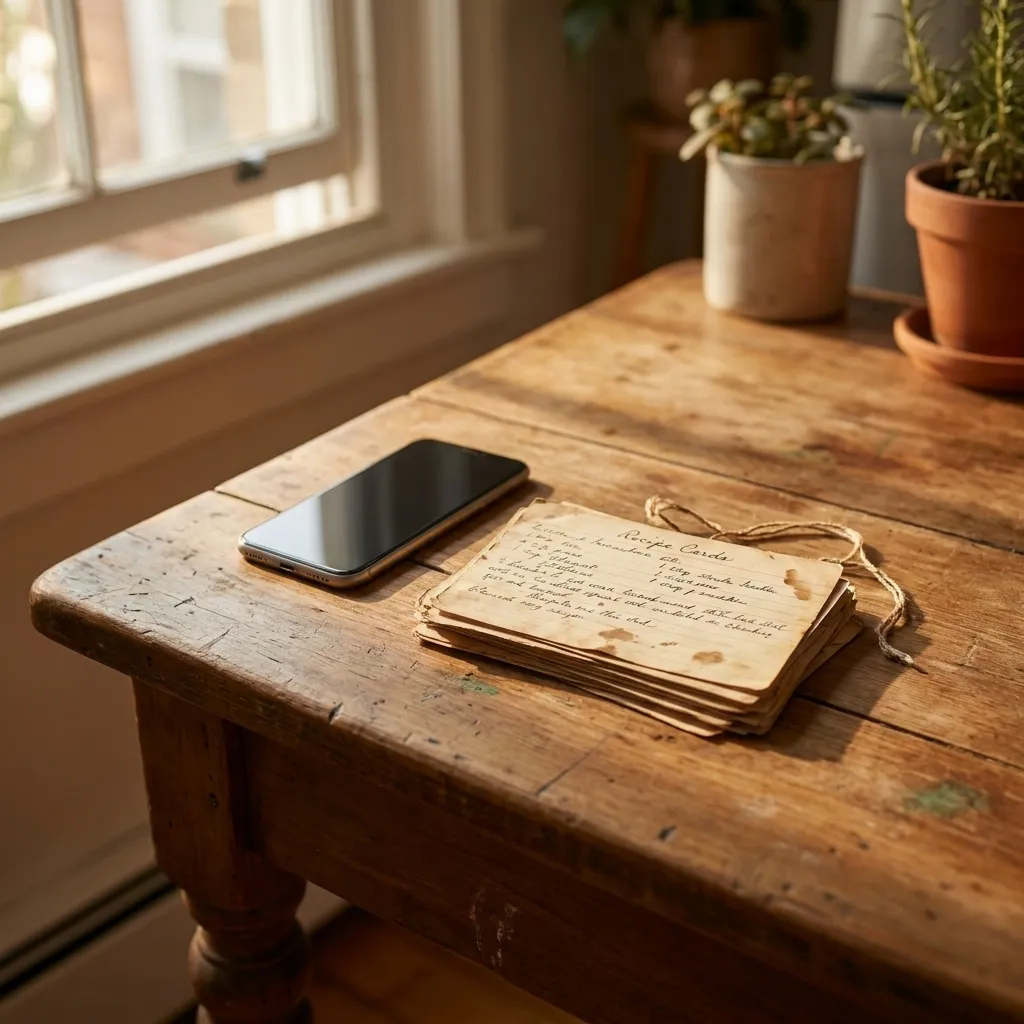
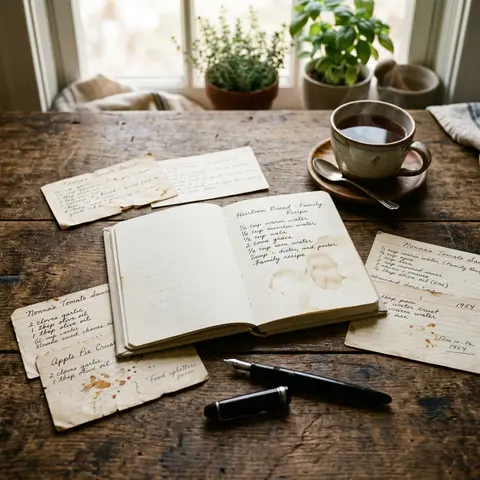
Old handwritten recipe cards next to a modern smartphone on a wooden table

Grandma's index cards are yellowing. The WhatsApp chat with Mom's favorite recipes scrolls into oblivion. The notebook sits somewhere in the basement, and you have no idea where.

Family recipes aren't lost through forgetfulness. They're lost through poor storage. This article helps you find the right app, not just skim a list.

Key Takeaways

  • Notes apps and WhatsApp lack essential recipe features: scaling, structure, and family sharing.

  • There are three app categories; which fits depends on whether you mostly collect your own or others' recipes.

  • Five criteria determine app quality: custom entry, sharing, offline access, export, and scalability.

  • Among the most-saved recipes in FamFood, 7 out of 10 contain fewer than 8 ingredients—real everyday cooking, not food-blog content.

  • Lock-in is real: always check whether export works in the free tier.

Why notes apps and WhatsApp fall short

General notes apps like Notion or Google Keep were never built for cooking. They don't understand ingredient scaling, portion calculators, or recipe structure. WhatsApp chats lack organization and searchability. If you truly want to preserve family recipes, you need an app where recipe structure is a core principle, not a bolted-on feature.

This sounds like a detail. It isn't. Here are four concrete problems:

Structure problem. Free-form text isn't a recipe format. An ingredient list, numbered steps, and portion sizes can't be meaningfully organized in Keep or Notes. You can type, but you can't cook from it.

Search gap. Searching a WhatsApp chat for "Grandma's goulash" only works if you remember the exact wording your mother used. Usually, you don't.

Loss risk. Account deleted, phone broken, chat backup missing. It happens more often than you'd think. The German Federal Office for Information Security explicitly recommends storing important data in dedicated, backup-capable apps because general messenger chats simply aren't designed for that.

No real sharing. Sending a link isn't the same as a shared library that all family members can access anytime.

What app types exist for family recipes?

There are three relevant app categories: digital recipe boxes (pure storage and retrieval), meal planners with recipe cores (storage plus weekly planning), and family cookbook apps (storage plus sharing plus generational hand-down). Depending on your goals, one category fits better than another.

Category

Examples

Strength

Weakness

Digital Recipe Box

Paprika, Cookmate, BigOven

Strong web import

Weak sharing

Meal-Planner Hybrid

Mealime, Yummly

Weekly planning

Own recipes secondary

Family Cookbook App

FamFood

Own + inherited recipes, shared access

No auto web import

Digital recipe boxes: strengths and limits

Paprika and Cookmate excel when you primarily collect recipes from the web. The browser clipper works seamlessly, and the search function is solid. The problem: your own recipes—Grandma's goulash, Aunt's plum cake, Dad's grilling marinades—are second-class citizens in these apps. The input form is optimized for importing, not manual entry. Family sharing either doesn't exist or comes as a paid add-on.

Family cookbook apps: what sets them apart

Apps built from the ground up for families flip the priority. The heart is your own recipe collection, not a recipe feed. Multiple family members can read, edit, and add simultaneously. That makes a difference when Grandma sends a recipe and you type it directly into the shared library, not into your own closed account.

Which 5 criteria determine app quality?

Five criteria decide whether an app truly works for family recipes: entering your own recipes, family sharing, offline access, export function, and recipe structure with scalable ingredients. Check all five, and you'll narrow down to two or three worthwhile options. According to Bitkom, more than 50% of Germans actively use apps for everyday organization, yet many underestimate how much app quality affects actual usage.

Criterion

Why it matters

What to check

Enter your own recipes

Most apps focus on web import

Manual entry and photo upload options?

Family sharing

Shared library ≠ sending a link

Simultaneous access for multiple accounts?

Offline access

Kitchens without stable WiFi are reality

Test in the app, not in marketing text

Export and backup

Lock-in risk with proprietary formats

PDF or CSV export in free tier?

Scalability

Scale 4 servings to 12 for family gatherings

Automatic conversion or manual only?

Export is especially overlooked in German app reviews. Yet it's critical: if you want to switch after two years and there's no export function, you're starting over. Proprietary formats protect the provider, not you.

How does FamFood compare?

FamFood is purpose-built for families: your own recipes take center stage, not recipes sourced from the web. The shared family library lets multiple household members access simultaneously. Among the most-saved recipes in FamFood, 7 out of 10 contain fewer than 8 ingredients. That surprised us: real families cook everyday food, not multi-course food-blogger meals. If you need an app for Grandma's stew, not elaborate restaurant recipes, this immediately shows: actual kitchen work happens here, not a curated inspiration gallery.

Strength: Family sharing from first login. No separate export, no link-sending. The library belongs to the family, not a single account.

Strength: Digitize old recipes. Upload a photo, manually correct, done. Older family members without app experience can still participate: they photograph, their kids type it in.

Limitation, stated honestly: Automatic web import from recipe websites isn't available (as of 2025). If you want to clip new online recipes daily, you'll need a different tool for that.

Who is FamFood best for? Families wanting to centrally manage their own and inherited recipes, have multiple people access them simultaneously, and don't want to start from scratch after the next phone upgrade.

How this works in everyday life and why digitizing old recipes is easier than you'd think is explained in detail in Saving Grandma's Recipes: How to Digitize Old Family Recipes Forever.

What does a good recipe app actually cost?

Most recipe apps offer a free tier but charge for family sharing or unlimited recipes. Prices range from free to about €30 per year. One-time purchases, like Cookmate, are the exception.

App

Free limit

Subscription (approx.)

Family sharing

Export in free tier

Paprika

No limit, no sharing

~€5 (one-time)

No

Yes

Cookmate

No limit

~€10 (one-time)

No

Yes

BigOven

200 recipes

~€25/year

Yes (subscription)

Limited

FamFood

Free base version

Subscription (check current)

Yes

Yes

Yummly

Unlimited with ads

~€30/year

No

No

An often-overlooked cost factor: data migration. If after two years you realize your provider switched formats or the subscription got too pricey, switching costs time and sometimes recipes. Before setting up, check whether export works in the free tier. That's not a nice-to-have, that's data sovereignty.

According to Statista Germany, over 60% of German smartphone users regularly use their device for everyday kitchen information, with rising trend. That shows apps are standard kitchen equipment now. All the more reason to choose the right one.

For those focused on security: ÖKO-TEST has repeatedly noted that app providers with servers outside the EU must meet less stringent data protection requirements than those under GDPR. So take a quick look at the privacy policy when comparing apps.

How do you digitize old recipes without stress?

The fastest way: photograph the recipe card or notebook, feed the text through an app or OCR tool into fields, then manually correct. In FamFood tests, taking the photo is often the only step older family members do independently. A younger family member handles the rest, without Grandma ever opening the app.

Sounds like a limitation? It's not. Each generation contributes what they can.

Photo-to-text. Apps with OCR support (Optical Character Recognition) read handwritten text from photos, often with errors, but useful as a rough draft. Google Lens works great as a free intermediate step. Then manually transfer to the recipe app.

Categorize from the start. Create a separate collection for Aunt Elise's recipes, Grandma's cakes separately, Dad's grill recipes again separately. If you do this from day one, you'll save a lot of searching six months later.

Quality assurance. A recipe is "done" only when you've cooked it once and the amounts are correct. Old recipe cards often have notes like "some flour" or "to taste," which you'll need to pin down for your family.

The 3-step workflow for old recipe cards

  1. Photograph. Older family member photographs all cards, collected in one folder. No account, no login needed.

  2. Transfer. Younger family member reads OCR text (Google Lens), transfers it to the recipe app, adds missing details.

  3. Cook and share. Try the recipe once, adjust amounts, then release to the shared family library.

Which app fits which family type?

There's no single best app, only the best app for your situation. If you primarily collect web recipes, Paprika is a solid choice. If you want to save Grandma's handwritten recipes and share them with the whole family, you need something like FamFood. If you want both, you'll need to compromise.

Family type

Priority

Recommended category

Large family, many traditional recipes

Sharing, custom entry

Family cookbook app

Couple, mainly online recipes

Web import, planning

Recipe box with clipper

Multi-generational household

Sharing, offline, easy use

Family cookbook app

Living alone, cooking enthusiast

Import, meal planning

Meal-planner hybrid

If you're unsure, ask yourself: who in the family will actually use the app? And whose recipes should go in it? The answers quickly show whether you need an import machine or a family library.

Still have questions? Here are the most common ones

Can I transfer recipes from one app to another?

It depends on the export format. Apps offering PDF or CSV allow semi-automated switching: export, then manually or via import transfer to the new app. Proprietary formats lock your data in. Check this before signing up for any subscription, not after. When switching between apps, test the export with 5 recipes before transferring everything.

Which app is best for digitizing handwritten recipes?

No tool reads handwritten recipe cards flawlessly. The most practical workflow: take a photo with Google Lens, copy the text, paste it into the recipe app, and manually correct it. FamFood allows manual entry and photo upload directly in the recipe editor. Plan about 5 to 10 minutes per recipe card for corrections and portion sizes.

Is FamFood free to use?

Yes, FamFood offers a free base version. For advanced features, like unlimited recipes or full family sharing, there's a subscription model. Find current terms directly on famfood.app. Also check whether export is included in the free tier—that's the first criterion for all apps.

How do I share recipes with family members who don't have a smartphone?

The simplest way: PDF export and print. Almost all recipe apps can export individual recipes as PDF, which you can print and share. Alternatively, a tablet with enlarged text in the app often works better than a smartphone for older family members. Key point: don't wait for the perfect tech solution, just start with the tool that's available.

How secure are my family recipes in a cloud app?

Cloud apps store data on external servers. Reputable providers based in the EU comply with GDPR and must guarantee data security and deletability. Check the privacy policy for server location and whether you can fully export and delete your data. Additionally, a regular manual export as a local backup—at least once a year—is recommended.

About FamFood

FamFood is an app for families who don't want to lose their recipes. Not to WhatsApp, not to a broken phone, not to time. We develop from our own kitchen experience because we know how precious a handwritten recipe is, and how easily it disappears.
Grandma's index cards are yellowing. The WhatsApp chat with Mom's favorite recipes scrolls into oblivion. The notebook sits somewhere in the basement, and you have no idea where.

Family recipes aren't lost through forgetfulness. They're lost through poor storage. This article helps you find the right app, not just skim a list.

Key Takeaways

  • Notes apps and WhatsApp lack essential recipe features: scaling, structure, and family sharing.

  • There are three app categories; which fits depends on whether you mostly collect your own or others' recipes.

  • Five criteria determine app quality: custom entry, sharing, offline access, export, and scalability.

  • Among the most-saved recipes in FamFood, 7 out of 10 contain fewer than 8 ingredients—real everyday cooking, not food-blog content.

  • Lock-in is real: always check whether export works in the free tier.

Why notes apps and WhatsApp fall short

General notes apps like Notion or Google Keep were never built for cooking. They don't understand ingredient scaling, portion calculators, or recipe structure. WhatsApp chats lack organization and searchability. If you truly want to preserve family recipes, you need an app where recipe structure is a core principle, not a bolted-on feature.

This sounds like a detail. It isn't. Here are four concrete problems:

Structure problem. Free-form text isn't a recipe format. An ingredient list, numbered steps, and portion sizes can't be meaningfully organized in Keep or Notes. You can type, but you can't cook from it.

Search gap. Searching a WhatsApp chat for "Grandma's goulash" only works if you remember the exact wording your mother used. Usually, you don't.

Loss risk. Account deleted, phone broken, chat backup missing. It happens more often than you'd think. The German Federal Office for Information Security explicitly recommends storing important data in dedicated, backup-capable apps because general messenger chats simply aren't designed for that.

No real sharing. Sending a link isn't the same as a shared library that all family members can access anytime.

What app types exist for family recipes?

There are three relevant app categories: digital recipe boxes (pure storage and retrieval), meal planners with recipe cores (storage plus weekly planning), and family cookbook apps (storage plus sharing plus generational hand-down). Depending on your goals, one category fits better than another.

Category

Examples

Strength

Weakness

Digital Recipe Box

Paprika, Cookmate, BigOven

Strong web import

Weak sharing

Meal-Planner Hybrid

Mealime, Yummly

Weekly planning

Own recipes secondary

Family Cookbook App

FamFood

Own + inherited recipes, shared access

No auto web import

Digital recipe boxes: strengths and limits

Paprika and Cookmate excel when you primarily collect recipes from the web. The browser clipper works seamlessly, and the search function is solid. The problem: your own recipes—Grandma's goulash, Aunt's plum cake, Dad's grilling marinades—are second-class citizens in these apps. The input form is optimized for importing, not manual entry. Family sharing either doesn't exist or comes as a paid add-on.

Family cookbook apps: what sets them apart

Apps built from the ground up for families flip the priority. The heart is your own recipe collection, not a recipe feed. Multiple family members can read, edit, and add simultaneously. That makes a difference when Grandma sends a recipe and you type it directly into the shared library, not into your own closed account.

Which 5 criteria determine app quality?

Five criteria decide whether an app truly works for family recipes: entering your own recipes, family sharing, offline access, export function, and recipe structure with scalable ingredients. Check all five, and you'll narrow down to two or three worthwhile options. According to Bitkom, more than 50% of Germans actively use apps for everyday organization, yet many underestimate how much app quality affects actual usage.

Criterion

Why it matters

What to check

Enter your own recipes

Most apps focus on web import

Manual entry and photo upload options?

Family sharing

Shared library ≠ sending a link

Simultaneous access for multiple accounts?

Offline access

Kitchens without stable WiFi are reality

Test in the app, not in marketing text

Export and backup

Lock-in risk with proprietary formats

PDF or CSV export in free tier?

Scalability

Scale 4 servings to 12 for family gatherings

Automatic conversion or manual only?

Export is especially overlooked in German app reviews. Yet it's critical: if you want to switch after two years and there's no export function, you're starting over. Proprietary formats protect the provider, not you.

How does FamFood compare?

FamFood is purpose-built for families: your own recipes take center stage, not recipes sourced from the web. The shared family library lets multiple household members access simultaneously. Among the most-saved recipes in FamFood, 7 out of 10 contain fewer than 8 ingredients. That surprised us: real families cook everyday food, not multi-course food-blogger meals. If you need an app for Grandma's stew, not elaborate restaurant recipes, this immediately shows: actual kitchen work happens here, not a curated inspiration gallery.

Strength: Family sharing from first login. No separate export, no link-sending. The library belongs to the family, not a single account.

Strength: Digitize old recipes. Upload a photo, manually correct, done. Older family members without app experience can still participate: they photograph, their kids type it in.

Limitation, stated honestly: Automatic web import from recipe websites isn't available (as of 2025). If you want to clip new online recipes daily, you'll need a different tool for that.

Who is FamFood best for? Families wanting to centrally manage their own and inherited recipes, have multiple people access them simultaneously, and don't want to start from scratch after the next phone upgrade.

How this works in everyday life and why digitizing old recipes is easier than you'd think is explained in detail in Saving Grandma's Recipes: How to Digitize Old Family Recipes Forever.

What does a good recipe app actually cost?

Most recipe apps offer a free tier but charge for family sharing or unlimited recipes. Prices range from free to about €30 per year. One-time purchases, like Cookmate, are the exception.

App

Free limit

Subscription (approx.)

Family sharing

Export in free tier

Paprika

No limit, no sharing

~€5 (one-time)

No

Yes

Cookmate

No limit

~€10 (one-time)

No

Yes

BigOven

200 recipes

~€25/year

Yes (subscription)

Limited

FamFood

Free base version

Subscription (check current)

Yes

Yes

Yummly

Unlimited with ads

~€30/year

No

No

An often-overlooked cost factor: data migration. If after two years you realize your provider switched formats or the subscription got too pricey, switching costs time and sometimes recipes. Before setting up, check whether export works in the free tier. That's not a nice-to-have, that's data sovereignty.

According to Statista Germany, over 60% of German smartphone users regularly use their device for everyday kitchen information, with rising trend. That shows apps are standard kitchen equipment now. All the more reason to choose the right one.

For those focused on security: ÖKO-TEST has repeatedly noted that app providers with servers outside the EU must meet less stringent data protection requirements than those under GDPR. So take a quick look at the privacy policy when comparing apps.

How do you digitize old recipes without stress?

The fastest way: photograph the recipe card or notebook, feed the text through an app or OCR tool into fields, then manually correct. In FamFood tests, taking the photo is often the only step older family members do independently. A younger family member handles the rest, without Grandma ever opening the app.

Sounds like a limitation? It's not. Each generation contributes what they can.

Photo-to-text. Apps with OCR support (Optical Character Recognition) read handwritten text from photos, often with errors, but useful as a rough draft. Google Lens works great as a free intermediate step. Then manually transfer to the recipe app.

Categorize from the start. Create a separate collection for Aunt Elise's recipes, Grandma's cakes separately, Dad's grill recipes again separately. If you do this from day one, you'll save a lot of searching six months later.

Quality assurance. A recipe is "done" only when you've cooked it once and the amounts are correct. Old recipe cards often have notes like "some flour" or "to taste," which you'll need to pin down for your family.

The 3-step workflow for old recipe cards

  1. Photograph. Older family member photographs all cards, collected in one folder. No account, no login needed.

  2. Transfer. Younger family member reads OCR text (Google Lens), transfers it to the recipe app, adds missing details.

  3. Cook and share. Try the recipe once, adjust amounts, then release to the shared family library.

Which app fits which family type?

There's no single best app, only the best app for your situation. If you primarily collect web recipes, Paprika is a solid choice. If you want to save Grandma's handwritten recipes and share them with the whole family, you need something like FamFood. If you want both, you'll need to compromise.

Family type

Priority

Recommended category

Large family, many traditional recipes

Sharing, custom entry

Family cookbook app

Couple, mainly online recipes

Web import, planning

Recipe box with clipper

Multi-generational household

Sharing, offline, easy use

Family cookbook app

Living alone, cooking enthusiast

Import, meal planning

Meal-planner hybrid

If you're unsure, ask yourself: who in the family will actually use the app? And whose recipes should go in it? The answers quickly show whether you need an import machine or a family library.

Still have questions? Here are the most common ones

Can I transfer recipes from one app to another?

It depends on the export format. Apps offering PDF or CSV allow semi-automated switching: export, then manually or via import transfer to the new app. Proprietary formats lock your data in. Check this before signing up for any subscription, not after. When switching between apps, test the export with 5 recipes before transferring everything.

Which app is best for digitizing handwritten recipes?

No tool reads handwritten recipe cards flawlessly. The most practical workflow: take a photo with Google Lens, copy the text, paste it into the recipe app, and manually correct it. FamFood allows manual entry and photo upload directly in the recipe editor. Plan about 5 to 10 minutes per recipe card for corrections and portion sizes.

Is FamFood free to use?

Yes, FamFood offers a free base version. For advanced features, like unlimited recipes or full family sharing, there's a subscription model. Find current terms directly on famfood.app. Also check whether export is included in the free tier—that's the first criterion for all apps.

How do I share recipes with family members who don't have a smartphone?

The simplest way: PDF export and print. Almost all recipe apps can export individual recipes as PDF, which you can print and share. Alternatively, a tablet with enlarged text in the app often works better than a smartphone for older family members. Key point: don't wait for the perfect tech solution, just start with the tool that's available.

How secure are my family recipes in a cloud app?

Cloud apps store data on external servers. Reputable providers based in the EU comply with GDPR and must guarantee data security and deletability. Check the privacy policy for server location and whether you can fully export and delete your data. Additionally, a regular manual export as a local backup—at least once a year—is recommended.

About FamFood

FamFood is an app for families who don't want to lose their recipes. Not to WhatsApp, not to a broken phone, not to time. We develop from our own kitchen experience because we know how precious a handwritten recipe is, and how easily it disappears.