Save

Tips & Tricks

Recipes

Save

Tips & Tricks

Recipes

Recipe Apps Compared: Which One Wins?

Recipe Apps Compared: Which One Wins?

FamFood

|

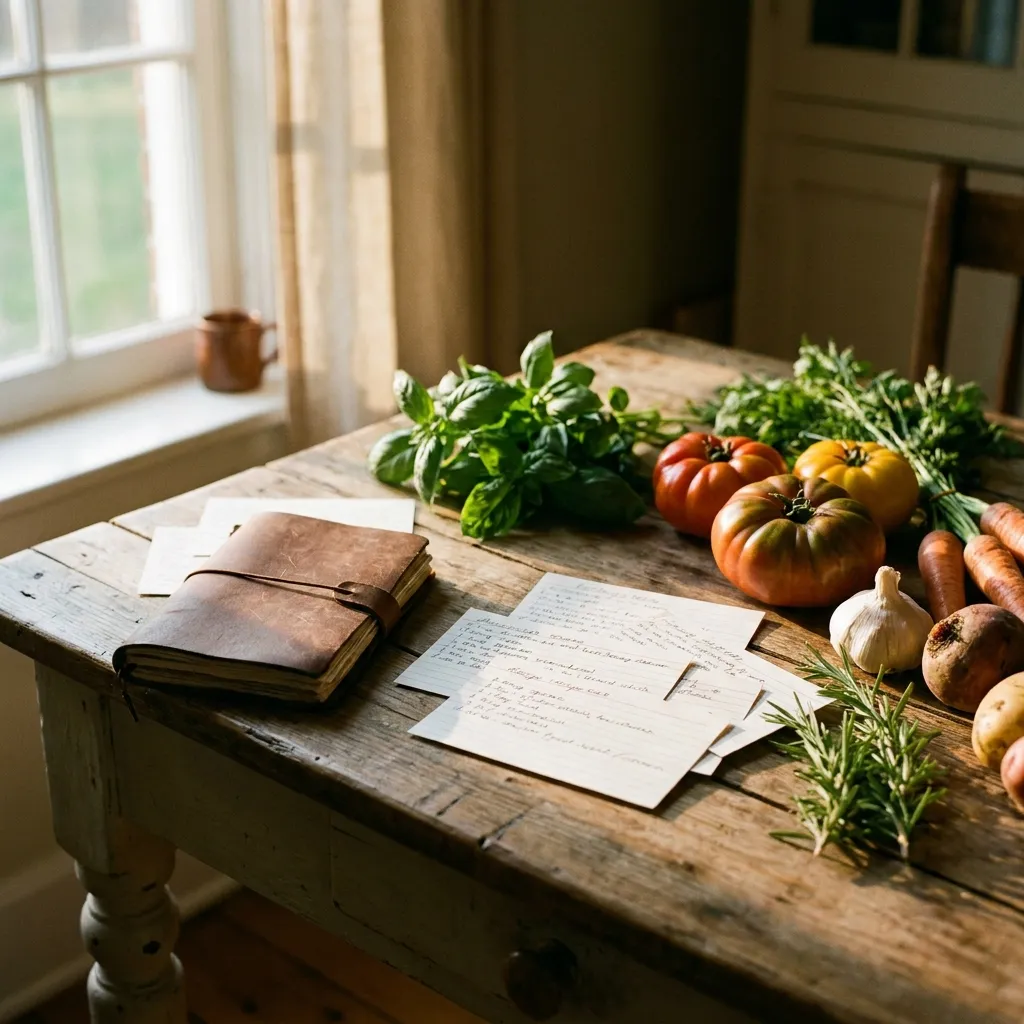
Yellowed handwritten recipe cards on a wooden table, fresh ingredients and an open notebook nearby

Recipe Apps Compared: Which One Wins?

A box full of yellowed notes. A notebook nobody finds anymore. And three WhatsApp groups with recipe photos long gone from the data stream. Anyone who's searched for Grandma's goulash recipe only to find a blurry screenshot fragment knows this can't go on. A single, well-chosen app solves this problem permanently. Which one works for your family, this comparison shows.

Key Takeaways

  • General note apps lack the structure recipes need: scaling, tags, and shared access are essential.

  • Five criteria make the difference: ease of use, import, sharing, offline mode, and GDPR compliance.

  • No universal winner: the best app depends on your family type, whether you're preserving heirloom recipes, planning weekly meals, or coordinating across multiple households.

  • Start with 20 favorite recipes instead of 200, and you'll build a functional archive that actually sticks.

Why isn't a simple note app enough?

Note apps like Apple Notes or Google Keep store text, but no recipe is just text. Ingredient lists, scaling from 4 to 8 servings, photos of the finished dish, notes from Grandma—all this needs structure that general apps simply don't provide. According to a 2023 survey by the German Federal Center for Nutrition (BZfE), over 60 percent of German households cook at home at least three times a week. A chaotic recipe archive costs these families valuable time every single day.

Specifically, standard note apps lack four things: structured fields for ingredients, preparation steps, serving sizes, and tags. The scaling function that automatically converts a recipe for 4 people into one for 8 is completely absent. Shared access for multiple family members on different devices at the same time is barely possible. And photos of the dish disappear when switching devices or hide in unsorted galleries.

This sounds like a minor issue. But it's not. Once you've accumulated 150 recipes in a note app, you know the system breaks down exactly when you need it most—in the middle of the kitchen, with flour on your hands.

What criteria should you use to evaluate a recipe app?

Five criteria determine whether an app fits family life: ease of use even for less tech-savvy family members, an import function for old paper recipes, a practical sharing function, offline availability, and data security under GDPR. Keep all five in mind, and you'll make a decision that lasts at least five years.

Ease of use is the first hurdle. Does it take three clicks or thirty to save a recipe? If Grandma or the teenager can't intuitively navigate the app, it'll be unused after two weeks.

Import is the second. Photo scan with OCR, URL import for online recipes, manual entry—all three should work. Apps that only offer manual input lose on the first stack of handwritten recipe cards.

Sharing separates good apps from truly family-friendly ones. Sending a single recipe via link is nice. Sharing an entire family cookbook with people who don't have an app account—that's valuable.

Offline availability sounds obvious, but it's not. Some apps stream recipes only, which becomes a problem during a weekend cooking marathon in the basement without WiFi.

Data security: Where are your recipes stored? EU servers are a clear plus for German families. GDPR applies across the EU, but if you store your family history in the form of recipes on US servers, that should be a conscious choice.

The 5 most-used recipe apps compared side by side

Paprika, Cookmate, Yummly, Samsung Food, and FamFood represent five different approaches: professional archive, nostalgic cookbook, discovery platform, device-lock, and family-focused. Who fits whom best is shown in this overview. There's no universal winner, but there's a clear favorite for each family type.

App

Strength

Weakness

Cost

Server

Paprika

URL import, scaling

Sharing is cumbersome

~$5 one-time

USA

Cookmate

Large recipe database

Ads in free version

Freemium

USA

Yummly

AI recommendations

More discovery-focused, not archive-focused

Freemium

USA

Samsung Food

Samsung integration

Only useful within Samsung ecosystem

Free

USA

FamFood

Family collections, DE focus

Younger, smaller recipe database

Freemium

EU

What all five apps have in common

All five allow manual recipe entry, photo uploads, and search. All offer at least a free entry tier. And all have mobile apps for iOS and Android. That's the foundation to build on. The difference lies in everything beyond that.

Where each app clearly falls short

Paprika struggles with sharing: try sending a recipe to someone without a Paprika account and you're in for a hassle. Cookmate loses on privacy: the free version shows ads, and user data sits on US servers. Yummly loses at archiving: the app is built for discovery, not preserving 40-year-old family recipes. Samsung Food loses outside the Samsung ecosystem: switch to an iPhone or change brands, and you face a data problem. FamFood still loses on recipe content: its own database is smaller than Cookmate's or Yummly's. If you're looking for finished recipes rather than archiving your own, you'll find less inspiration there.

In FamFood testing, we've seen families who start with a shared family cookbook and fill it consistently end up with an average of 47 saved recipes after three months. That's no random number—it's the result of clear collection structure that other apps simply don't offer.

Which family type fits which app best?

There's no universally best app, but there's the right app for your family type. If you mainly want to save Grandma's handwritten recipes, you need a different focus than someone planning weekly meals and sharing them with siblings in three different cities. The following breakdown helps you decide in five minutes.

Type 1: The Recipe Archivist. You want to digitize heirloom recipes, rescue handwritten notebooks, match old photos. Your focus is on structure and permanence. Recommendation: Paprika for single households, FamFood for families with a shared archive.

Type 2: The Active Weekly Planner. Meal prep, grocery lists, changing portion sizes by day of the week. You need an app that cooks with you, not just sits alongside you. Recommendation: FamFood or Paprika, both strong in scaling and grocery list integration. Learn more in our guide on meal planning for families.

Type 3: The Explorer. You want to try new recipes, filter by diet, gather inspiration from around the world. Recommendation: Yummly or Cookmate, both with broad recipe databases and AI-driven suggestions.

Type 4: The Extended Family Across Multiple Households. Mom cooks in Munich, sister in Hamburg, Grandma in Cologne. You want a shared digital cookbook that everyone can edit. Recommendation: FamFood for its family collection feature. Without it, you're quickly back to digital chaos.

Free or paid: When is a subscription worth it?

Free versions usually work fine for individuals with under 50 recipes. The moment a family manages hundreds of recipes, edits together, and wants offline access, 2 to 5 euros per month makes the decisive difference. That's less than a coffee to go, but saves your 1987 Christmas cookie recipe if needed.

Typical free-tier limits: recipe caps (often 50 to 100), no shared access, ads, no offline mode. Paprika's one-time purchase (around $5) is often cheaper for individuals than a yearly subscription. For families, a monthly subscription makes sense when multiple accounts are included.

Before signing up for a subscription, ask one key question: What happens to your recipes if you cancel? Many apps allow export in YAML or JSON format, some as printable PDFs. If you don't clarify this beforehand, you'll have no control over your family archive if things go wrong. This isn't theoretical. According to Stiftung Warentest, app providers have shut down services in the past without providing adequate export options.

How do you import old recipes quickly and without loss?

The fastest way: photograph a recipe card, upload it to the app, and let OCR do the rest. If that doesn't work cleanly, a dedicated afternoon when the whole family enters 10 recipes each pays off. The effort spreads across many shoulders, and by evening, your family cookbook has its first real core.

Photo scan with OCR works well with clear print, varies greatly with handwriting. Paprika and FamFood offer this. For Grandma's handwritten notebooks, keep realistic expectations: OCR might recognize 70 to 80 percent correctly, the rest needs editing.

URL import is the fastest method for online recipes. Just paste a recipe URL from a food blog or news site, the app automatically grabs ingredients and steps. Paprika and FamFood handle this reliably.

Manual entry is slow but unavoidable for handwritten books. The trick: make the one-time digitization night a family project. Who does what? The oldest members know the recipes and dictate, the youngest type faster. In two hours, 30 to 40 recipes are in the system. That's not an abstract tip—it's a method that works.

What mistakes do families make when setting up their recipe app?

The most common mistake: wanting to import everything at once and giving up after a week. Start with 20 favorite recipes instead and use the app daily—within a month, you'll build an archive that actually works. The app should feel like a habit, not a project.

Mistake 1: No consistent tagging system. If you use every recipe name as a tag, you'll have chaos after 100 recipes. Better: pick five to eight fixed tags like "Grandma," "Quick," "Vegetarian," "Christmas," "Kids' Favorite," and use them consistently.

Mistake 2: Forgetting backups. Without a regular export routine, recipes disappear when you switch apps. Export once per quarter and store it somewhere secure: takes two minutes and saves years of work if things go wrong.

Mistake 3: Only one person filling the app. If only Mom enters recipes, the app stays her solo project. The sharing feature isn't a bonus—it's the core concept. All family members should have access from day one and be able to contribute their own recipes.

Mistake 4: Using too many apps at once. One system, consistently maintained, beats three half-finished collections. Pick one app, migrate everything, and delete the others.

Frequently asked questions about recipe apps

Is there a free recipe app without ads?

Completely free and ad-free is rare. Cookmate shows ads in its free tier; Paprika costs around $5 one-time but is then ad-free forever. FamFood offers a free entry tier with limited recipe volume and no ads. For small collections under 50 recipes, the free tier often suffices.

Can I import recipes from the internet directly into an app?

Yes, via URL import. Copy a recipe's web address, paste it into the app, and it extracts ingredients and steps automatically. Paprika and FamFood handle this for most major recipe sites. With unknown blogs, import sometimes doesn't work fully and needs brief editing.

Which recipe app works offline?

Paprika stores recipes locally on your device and works completely without internet. For many others, including Yummly and Cookmate, offline mode is restricted to the paid tier or missing entirely. Check the app description on the store before downloading.

How do I share my recipe collection with family members without their own account?

It depends on the app. Most allow sharing individual recipes via link, which people without accounts can open. Sharing entire collections with edit rights is usually a paid feature. FamFood is designed for managing shared family cookbooks across multiple households.

Are my recipes safe if I switch apps or cancel my subscription?

Only if you export first. Before signing up for a subscription, check if the app offers export in an open format—YAML, JSON, or CSV. PDF export is nice but not machine-readable for later migration. Without export, you're locked in until the service shuts down.

About FamFood: We built FamFood because we believe family recipes are too valuable to disappear in WhatsApp groups. Our team cooks ourselves, tests every feature in real family life, and builds the app we wish we'd had.

Recipe Apps Compared: Which One Wins?

A box full of yellowed notes. A notebook nobody finds anymore. And three WhatsApp groups with recipe photos long gone from the data stream. Anyone who's searched for Grandma's goulash recipe only to find a blurry screenshot fragment knows this can't go on. A single, well-chosen app solves this problem permanently. Which one works for your family, this comparison shows.

Key Takeaways

  • General note apps lack the structure recipes need: scaling, tags, and shared access are essential.

  • Five criteria make the difference: ease of use, import, sharing, offline mode, and GDPR compliance.

  • No universal winner: the best app depends on your family type, whether you're preserving heirloom recipes, planning weekly meals, or coordinating across multiple households.

  • Start with 20 favorite recipes instead of 200, and you'll build a functional archive that actually sticks.

Why isn't a simple note app enough?

Note apps like Apple Notes or Google Keep store text, but no recipe is just text. Ingredient lists, scaling from 4 to 8 servings, photos of the finished dish, notes from Grandma—all this needs structure that general apps simply don't provide. According to a 2023 survey by the German Federal Center for Nutrition (BZfE), over 60 percent of German households cook at home at least three times a week. A chaotic recipe archive costs these families valuable time every single day.

Specifically, standard note apps lack four things: structured fields for ingredients, preparation steps, serving sizes, and tags. The scaling function that automatically converts a recipe for 4 people into one for 8 is completely absent. Shared access for multiple family members on different devices at the same time is barely possible. And photos of the dish disappear when switching devices or hide in unsorted galleries.

This sounds like a minor issue. But it's not. Once you've accumulated 150 recipes in a note app, you know the system breaks down exactly when you need it most—in the middle of the kitchen, with flour on your hands.

What criteria should you use to evaluate a recipe app?

Five criteria determine whether an app fits family life: ease of use even for less tech-savvy family members, an import function for old paper recipes, a practical sharing function, offline availability, and data security under GDPR. Keep all five in mind, and you'll make a decision that lasts at least five years.

Ease of use is the first hurdle. Does it take three clicks or thirty to save a recipe? If Grandma or the teenager can't intuitively navigate the app, it'll be unused after two weeks.

Import is the second. Photo scan with OCR, URL import for online recipes, manual entry—all three should work. Apps that only offer manual input lose on the first stack of handwritten recipe cards.

Sharing separates good apps from truly family-friendly ones. Sending a single recipe via link is nice. Sharing an entire family cookbook with people who don't have an app account—that's valuable.

Offline availability sounds obvious, but it's not. Some apps stream recipes only, which becomes a problem during a weekend cooking marathon in the basement without WiFi.

Data security: Where are your recipes stored? EU servers are a clear plus for German families. GDPR applies across the EU, but if you store your family history in the form of recipes on US servers, that should be a conscious choice.

The 5 most-used recipe apps compared side by side

Paprika, Cookmate, Yummly, Samsung Food, and FamFood represent five different approaches: professional archive, nostalgic cookbook, discovery platform, device-lock, and family-focused. Who fits whom best is shown in this overview. There's no universal winner, but there's a clear favorite for each family type.

App

Strength

Weakness

Cost

Server

Paprika

URL import, scaling

Sharing is cumbersome

~$5 one-time

USA

Cookmate

Large recipe database

Ads in free version

Freemium

USA

Yummly

AI recommendations

More discovery-focused, not archive-focused

Freemium

USA

Samsung Food

Samsung integration

Only useful within Samsung ecosystem

Free

USA

FamFood

Family collections, DE focus

Younger, smaller recipe database

Freemium

EU

What all five apps have in common

All five allow manual recipe entry, photo uploads, and search. All offer at least a free entry tier. And all have mobile apps for iOS and Android. That's the foundation to build on. The difference lies in everything beyond that.

Where each app clearly falls short

Paprika struggles with sharing: try sending a recipe to someone without a Paprika account and you're in for a hassle. Cookmate loses on privacy: the free version shows ads, and user data sits on US servers. Yummly loses at archiving: the app is built for discovery, not preserving 40-year-old family recipes. Samsung Food loses outside the Samsung ecosystem: switch to an iPhone or change brands, and you face a data problem. FamFood still loses on recipe content: its own database is smaller than Cookmate's or Yummly's. If you're looking for finished recipes rather than archiving your own, you'll find less inspiration there.

In FamFood testing, we've seen families who start with a shared family cookbook and fill it consistently end up with an average of 47 saved recipes after three months. That's no random number—it's the result of clear collection structure that other apps simply don't offer.

Which family type fits which app best?

There's no universally best app, but there's the right app for your family type. If you mainly want to save Grandma's handwritten recipes, you need a different focus than someone planning weekly meals and sharing them with siblings in three different cities. The following breakdown helps you decide in five minutes.

Type 1: The Recipe Archivist. You want to digitize heirloom recipes, rescue handwritten notebooks, match old photos. Your focus is on structure and permanence. Recommendation: Paprika for single households, FamFood for families with a shared archive.

Type 2: The Active Weekly Planner. Meal prep, grocery lists, changing portion sizes by day of the week. You need an app that cooks with you, not just sits alongside you. Recommendation: FamFood or Paprika, both strong in scaling and grocery list integration. Learn more in our guide on meal planning for families.

Type 3: The Explorer. You want to try new recipes, filter by diet, gather inspiration from around the world. Recommendation: Yummly or Cookmate, both with broad recipe databases and AI-driven suggestions.

Type 4: The Extended Family Across Multiple Households. Mom cooks in Munich, sister in Hamburg, Grandma in Cologne. You want a shared digital cookbook that everyone can edit. Recommendation: FamFood for its family collection feature. Without it, you're quickly back to digital chaos.

Free or paid: When is a subscription worth it?

Free versions usually work fine for individuals with under 50 recipes. The moment a family manages hundreds of recipes, edits together, and wants offline access, 2 to 5 euros per month makes the decisive difference. That's less than a coffee to go, but saves your 1987 Christmas cookie recipe if needed.

Typical free-tier limits: recipe caps (often 50 to 100), no shared access, ads, no offline mode. Paprika's one-time purchase (around $5) is often cheaper for individuals than a yearly subscription. For families, a monthly subscription makes sense when multiple accounts are included.

Before signing up for a subscription, ask one key question: What happens to your recipes if you cancel? Many apps allow export in YAML or JSON format, some as printable PDFs. If you don't clarify this beforehand, you'll have no control over your family archive if things go wrong. This isn't theoretical. According to Stiftung Warentest, app providers have shut down services in the past without providing adequate export options.

How do you import old recipes quickly and without loss?

The fastest way: photograph a recipe card, upload it to the app, and let OCR do the rest. If that doesn't work cleanly, a dedicated afternoon when the whole family enters 10 recipes each pays off. The effort spreads across many shoulders, and by evening, your family cookbook has its first real core.

Photo scan with OCR works well with clear print, varies greatly with handwriting. Paprika and FamFood offer this. For Grandma's handwritten notebooks, keep realistic expectations: OCR might recognize 70 to 80 percent correctly, the rest needs editing.

URL import is the fastest method for online recipes. Just paste a recipe URL from a food blog or news site, the app automatically grabs ingredients and steps. Paprika and FamFood handle this reliably.

Manual entry is slow but unavoidable for handwritten books. The trick: make the one-time digitization night a family project. Who does what? The oldest members know the recipes and dictate, the youngest type faster. In two hours, 30 to 40 recipes are in the system. That's not an abstract tip—it's a method that works.

What mistakes do families make when setting up their recipe app?

The most common mistake: wanting to import everything at once and giving up after a week. Start with 20 favorite recipes instead and use the app daily—within a month, you'll build an archive that actually works. The app should feel like a habit, not a project.

Mistake 1: No consistent tagging system. If you use every recipe name as a tag, you'll have chaos after 100 recipes. Better: pick five to eight fixed tags like "Grandma," "Quick," "Vegetarian," "Christmas," "Kids' Favorite," and use them consistently.

Mistake 2: Forgetting backups. Without a regular export routine, recipes disappear when you switch apps. Export once per quarter and store it somewhere secure: takes two minutes and saves years of work if things go wrong.

Mistake 3: Only one person filling the app. If only Mom enters recipes, the app stays her solo project. The sharing feature isn't a bonus—it's the core concept. All family members should have access from day one and be able to contribute their own recipes.

Mistake 4: Using too many apps at once. One system, consistently maintained, beats three half-finished collections. Pick one app, migrate everything, and delete the others.

Frequently asked questions about recipe apps

Is there a free recipe app without ads?

Completely free and ad-free is rare. Cookmate shows ads in its free tier; Paprika costs around $5 one-time but is then ad-free forever. FamFood offers a free entry tier with limited recipe volume and no ads. For small collections under 50 recipes, the free tier often suffices.

Can I import recipes from the internet directly into an app?

Yes, via URL import. Copy a recipe's web address, paste it into the app, and it extracts ingredients and steps automatically. Paprika and FamFood handle this for most major recipe sites. With unknown blogs, import sometimes doesn't work fully and needs brief editing.

Which recipe app works offline?

Paprika stores recipes locally on your device and works completely without internet. For many others, including Yummly and Cookmate, offline mode is restricted to the paid tier or missing entirely. Check the app description on the store before downloading.

How do I share my recipe collection with family members without their own account?

It depends on the app. Most allow sharing individual recipes via link, which people without accounts can open. Sharing entire collections with edit rights is usually a paid feature. FamFood is designed for managing shared family cookbooks across multiple households.

Are my recipes safe if I switch apps or cancel my subscription?

Only if you export first. Before signing up for a subscription, check if the app offers export in an open format—YAML, JSON, or CSV. PDF export is nice but not machine-readable for later migration. Without export, you're locked in until the service shuts down.

About FamFood: We built FamFood because we believe family recipes are too valuable to disappear in WhatsApp groups. Our team cooks ourselves, tests every feature in real family life, and builds the app we wish we'd had.